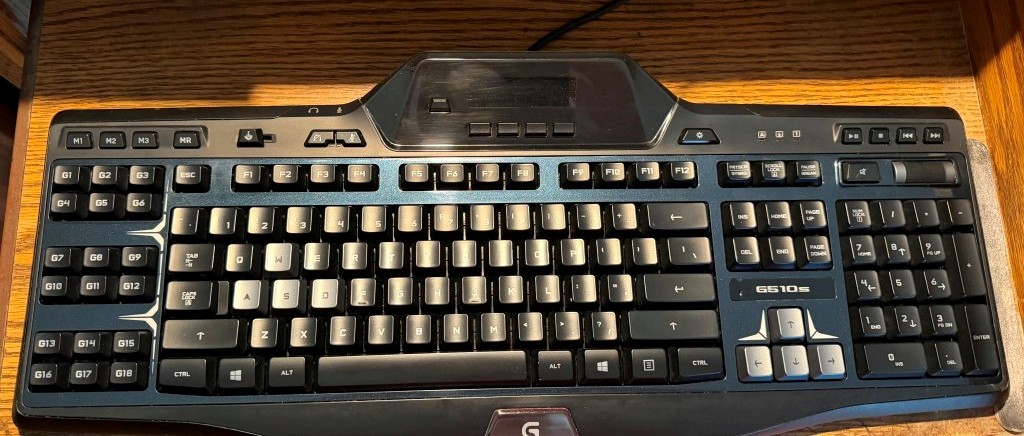
Clean and restore a keyboard?
I got this keyboard 13 years ago and it's been the best friend I could have. Still functions on Windows 11, still stores macros for keystroke sequences often used. Sadly, it has been the subject of abuse those years. Eating breakfast at it, clipping fingernails, cats running across it and typical punishment that makes most people say toss it. Some keys would not depress all the way, some would not return. In some zones the keys would make a crunch sound.
I didn't take a before shot, but did snap 3 parts pasted together here to help with it's reassembly.
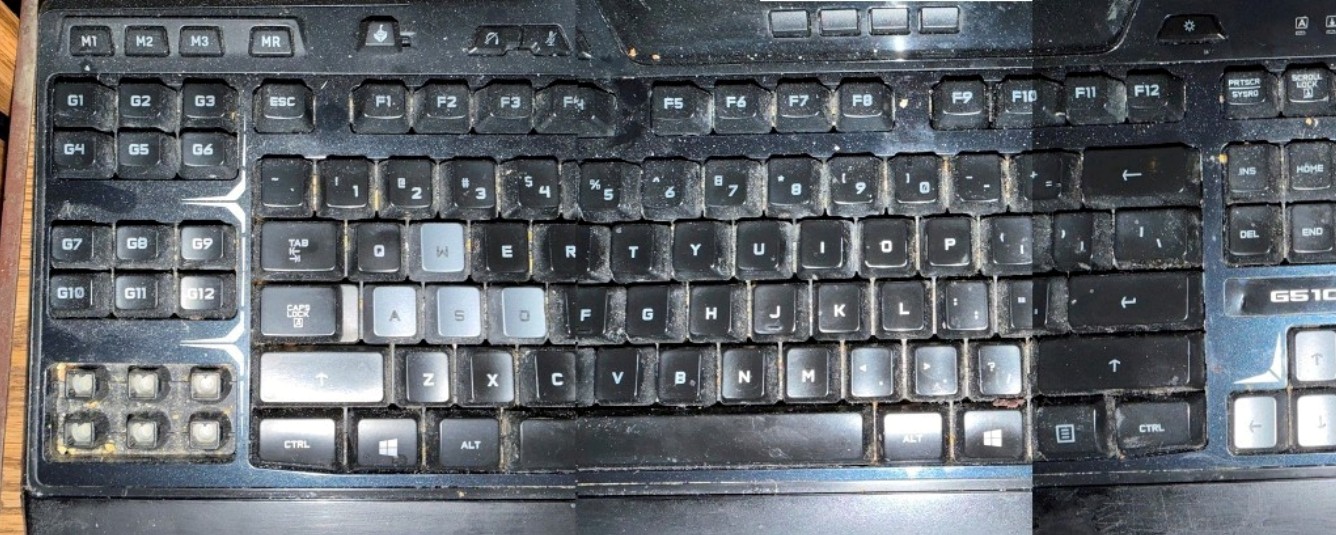
Use a keycap puller to pop off all the keys except the media and display areas. Dump all keys into a bowl of warm water with some detergent. I used Simple Green.
Then on the keyboard base make a pass over it with a vacuum to remove the loose debris. The use a stiff brush AND the vacuum to remove the stuck debris. One more time with a pick to get the corners and crud that is desperately hanging on. I used an alcohol wipe to clean the surfaces that is normally hidden below the keys. Follow with one more vacuum pass.
Spread a couple of towels on a table and scrub the keycaps on all sides with a soft toothbrush, checking that any stuck on gooeies have been cleaned off. Lay all the keys face down and allow to dry. I would not tempt fate by placing them in an oven. If you love your G510s as much as I do be patient with it.
Last is to replace the keycaps, I used the pictures to replace them in the correct locations, a few are not obvious. One note about the 'bridged' keycaps like Space, Shift, Enter, etc. This keyboard loves to be dissasembled and cleaned. Notice that when you pop those long keys off the metal clip remains flat in the base. There is no need to fumble with the keycaps, just have the metal bridge flat where it goes and replace the long key over it, it will snap right in place with no fuss.
Ready for another 13 years.